
Corporate AI training for your team’s everyday work
Learn to apply AI to the tasks your team already handles—from preparing for customer meetings to documenting processes and drafting reports.
AI Man Jack offers practical training for business owners and nontechnical teams, personally designed and taught by Jack Qian.
Prefer to text? Send TRAINING to (469) 425-4142Start with work your team knows
The training takes shape around your team’s responsibilities, available tools and approved source material. Example exercises include:
Sales
Research an account, prepare for a meeting or draft a follow-up email from call notes.
AI training for sales teams →Explore sales workflows →Operations and administration
Turn meeting notes into action items, draft a procedure from a walkthrough or prepare a weekly report from a spreadsheet export.
AI training for operations teams →Explore operations workflows →Marketing
Organize research, prepare a campaign brief or adapt existing content for another channel.
AI training for marketing teams →Explore marketing workflows →No coding experience is required. The focus is on choosing useful tasks, giving clear instructions and checking the result before using it. Run a small business? See the owner and small-team training guide. Leading the rollout? See AI training for leadership teams.
Choose a format that fits your team
| Format | A good fit when… | What it covers | Pricing |
|---|---|---|---|
| 90-minute team workshop | One team wants to explore one or two focused tasks. | Guided workflow exercises, written instructions, an output-review checklist and notes on data boundaries. | Customized quoteWorkshop details → |
| Full-day onsite training | Several teams need shared working rules and time to practise together. | Department use cases, guided labs, review checklists and a next-step plan with owners. | Customized quoteOnsite details → |
| Four-session program | Your team wants to practise between meetings and refine its workflows. | Four live 90-minute sessions, workflow instructions and a repeatable playbook. | Priced by quoteProgram details → |
Group size, goals and preparation requirements determine the final scope and price. AI tool accounts and subscriptions are separate. Travel outside Dallas–Fort Worth is quoted separately.
AI training for small business owners and teams
When the same people handle customers, marketing and administration, start with one recurring task you can check. Jack shapes the exercises around your current tools and way of working, in English or Chinese, live online across the U.S. or onsite in Dallas–Fort Worth.
Choose an example exercise and open its template to see the instructions and review steps. Training uses synthetic, redacted or company-approved material, with exercises adapted to your team’s tasks.
Customer follow-ups
Use redacted meeting notes and an approved service description to draft an email with next steps. A person checks prices, commitments, recipients and dates before sending.
Preview the follow-up template →Weekly business updates
Turn checked summary figures and work notes into a one-page update. Keep the source spreadsheet; the owner checks the numbers, exceptions and explanations.
Preview the weekly update template →Staff procedures
Turn a process owner’s walkthrough into a checklist. The owner confirms the sequence, exceptions and approval steps before another employee tries it.
Preview the procedure template →Every format is quoted for your team; tool subscriptions are separate. The four-session program includes practice between meetings and a review two weeks after the final session, covering actual use, output accuracy and review effort. Additional support after a standalone workshop or onsite day is separately scoped.
Practise the task—and how to check it
Exercises follow a practical sequence.
Exercises use synthetic, redacted or company-approved sample material. Tool selection and data rules are agreed before the session.
- 1
Choose a suitable task.
Identify recurring work with clear inputs and an output someone can check.
- 2
Provide useful context.
Supply approved material, explain the constraints and specify the required format.
- 3
Build repeatable steps.
Write instructions the team can test and revise.
- 4
Review the output.
Check facts, missing context and unsupported claims, including practice with a deliberately flawed example.
- 5
Set clear boundaries.
Agree which information can be used and where a person must approve the result.
Put workflows to use between sessions
In the four-session program, participants try their workflows between meetings and bring back questions, errors and review difficulties. Later sessions address what needs improvement.
Book a Workflow CallCustom team pricing available. Exact content changes based on the team’s tasks.- 4 live 90-minute sessions, workflow instructions and a repeatable playbook
- Two weeks after the final session, Jack checks whether each workflow should continue, change or stop
- The review considers actual use, output accuracy and the effort needed to check the work
This follow-up belongs to the four-session program. Additional support after a standalone workshop or onsite day is separately scoped.
Learner-reported weekly time savings
After applying AI to their work, learners have shared the following weekly time-saving estimates with Jack.
Source: learner feedback summarized by Jack Qian on October 17, 2026. These are self-reported estimates, not independently timed measurements; results vary by role, task and use.

Meet your instructor
Jack Qian runs AI Man Jack LLC in Dallas, Texas. He designs and teaches the sessions himself.
His background includes business planning at a Dallas semiconductor company, building AI workflows and organizing community AI events. He also writes Real Agent Use Cases, a newsletter about practical agents and workflows.
Before we start
Which tools will we use?
Training uses tools your company has approved, which may include ChatGPT, Claude, Gemini, Microsoft Copilot or Grok. The selection depends on your team’s tasks and access.
What should participants prepare?
Bring a few recurring tasks and suitable sample material. Participants need a laptop and access to the agreed tool. Onsite sessions also require reliable Wi-Fi and a shared screen or projector. Onsite preparation details.
Does training include software implementation?
Training does not include software development or CRM/ERP configuration and integration. Connecting to live systems or automatically updating records requires a separate implementation scope, permissions and testing.
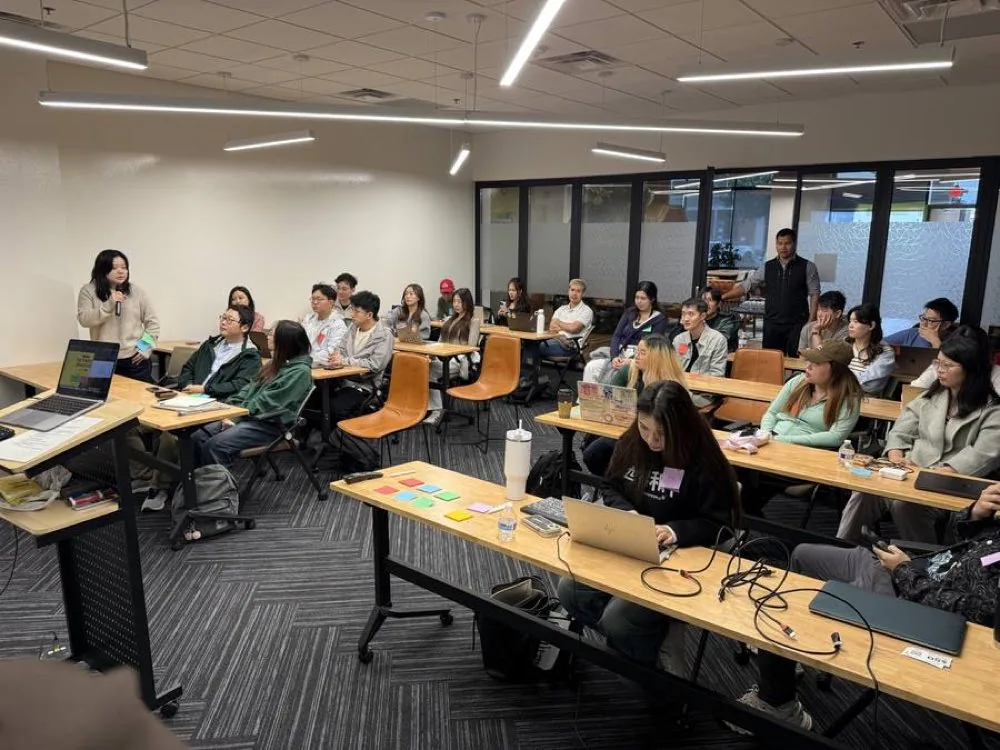
Discuss a starting point for your team
Bring one recurring task to a workflow call. Discuss what your team needs, which tools are available and which training format fits the work.
Book a Workflow CallEvery program is priced for your team. Get a written quote.
Or email [email protected] · text TRAINING to (469) 425-4142